From the Dosing keys menu, check the box(es) for the combination of NCA sort keys to use when generating the dose worksheet.
In each DoseType cell, select the type from the menu.
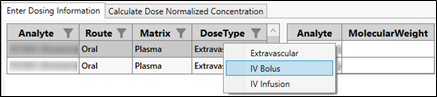
Assign a control group, if desired.
Setting up a control group must be done at this step if you want to do a baseline correction later that uses either a control group’s mean by time point or overall mean.
Filter the Dose column to show only rows with a value of “0” (zero).
Press Ctrl+A to select all displayed rows.
In the ControlGroup column, right-click a selected row and choose Check Control Group from the popup.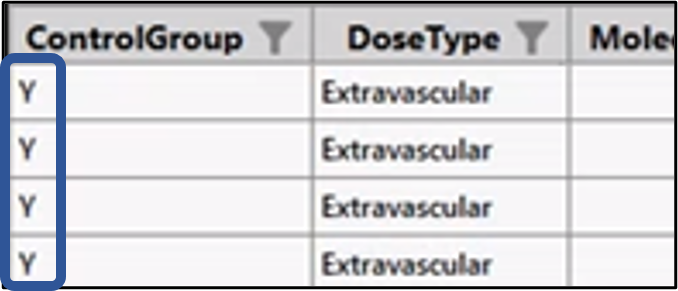
Near the top of the page, where the DoseType was set, enter the molecular weight for each analyte. The MolecularWeight column in the lower table is populated with the data entered once the Enter key is pressed. In the lower table, edits to the DoseUnits, TAU, and InfusionDuration columns can be made as needed by clicking in the cell and typing the value.
Note: The AUCtau is calculated when a Tau value is entered for single dose profiles.
For each analyte, use the Analyte_Type column to specify the type.
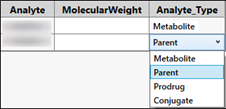
The Analyte_Type column in the lower table is populated with the selected type and will be used to populate the PCCAT variable for SEND.
For bulk entries of Tau and DisplayTau values at the Visit level, use the table in the upper right.
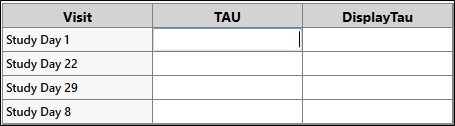
Entering a value automatically populates all of the appropriate cells in the lower table with that value. The presence of this table is configurable, see “Dosing” in the configuration section.
In the lower table, edits to the DoseUnits, TAU, and InfusionDuration columns can be made as needed by clicking in the cell and typing the value.