The following settings affect the Setup Dosing page in the Analysis Preparation Wizard (“Set up dosing”) and its two tabs.
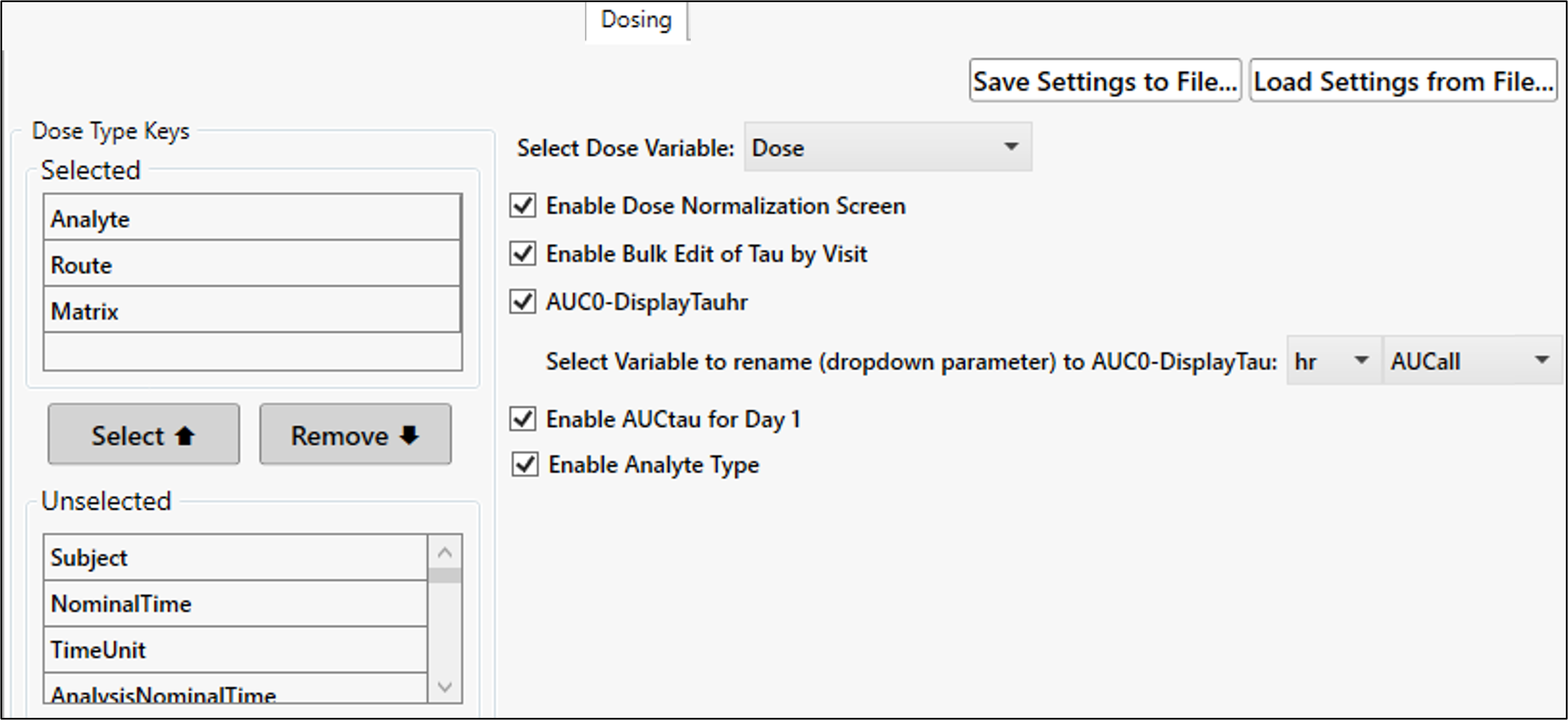
Identify the default variables to include in the Dose Type Keys Selected list.
Set the default choice for the Dose Variable.
Check the Enable Dose Normalization Screen box to display the Calculate Dose-Normalized Concentration tab in the Dosing page.
Check the Enable Bulk Edit of Tau by Visit box to display the table in the Enter Dosing Information tab.
The table provides a way to enter Tau and DisplayTau values by visit instead of manually entering the values in the Dosing table, row by row.
Check the AUC0-DisplayTauhr box to rename AUCall parameter to reflect data being analyzed. (Requires that the Bulk Edit for Tau box be checked also.)
If checked, choose the default unit (h or hr) and variable (AUCall or AUClast) to rename based on what is entered for Tau and DisplayTau by visit. For example, if a certain visit has DisplayTau = 24, it will relabel AUCall to AUC0-24h for that visit.
If both Tau and DisplayTau are blank, the variable will not be renamed.
Check the Enable AUCtau for Day 1 box to display the AUCtau for Day 1 button in the Dosing page.
This allows calculation of accumulation ratios based on AUC_TAU but without having to calculate steady-state parameters for Day 1. A partial AUC for Day 1 can be relabeled to AUC_TAU based on the Tau value entered for later days in the analysis.
Check the Enable Analyte Type box to display the Analyte_Type column next to Molecular Weight in the Dosing page.
This column allows categorization (e.g., ANALYTE, PARENT, METABOLITE, DIASTEREOMER, etc.) when multiple analytes are in the dataset.