These settings affect the Concentration Exclusion page in the Analysis Preparation Wizard (“Set up exclusions”).
For rule-based exclusions, manual exclusions, and exclusion rule creation, choose the exclusion types to make available.
Include Flag in PC.XPT: When selected in combination with other exclusion flags, both the flag and reason is added to the PC domain (PCEXCLFL and PCREASEX).
Exclude from NCA: Excludes data from the NCA (the row will be missing from the NCA_MATRIX_SAMPLEDESIGN worksheet in the PK_Worksheets folder), the reason entered is used as a footnote for tables generated in TFL Studio.
Exclude from Statistics: Excludes data from the calculation of statistics within TFL Studio, the reason entered is used as a footnote for tables generated in TFL Studio.
Exclude from PC: Excludes data from the PC domain.
Exclude from Report: Excludes data from reports generated within TFL Studio.
Flag: Does not perform any exclusions. Provides the reason entered by the user that can be used as a footnote for tables in TFL Studio.
Enable Comment (CO): Allows entering a comment for certain data rows that will be included in the generation of the CDISC domain called CO.
Check Enable Predefined Reasons to provide access to a list of predefined reasons for exclusion.
Click + to append a new row for a new reason and enter the text, code, and flag information.
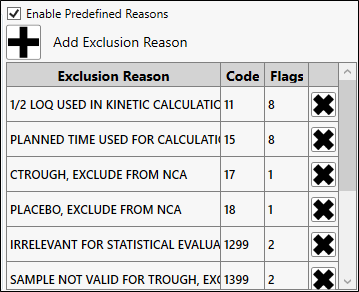
To modify a reason click in the cell and make the edits. To delete a reasons click the corresponding X.
Predefined reasons are used when defining exclusions and comments (refer to “Set up exclusions” and “Add comments in PC worksheet”).
Define default exclusion rules by selecting the variable, operator, value, reason, and clicking the >> button to add it to the list.
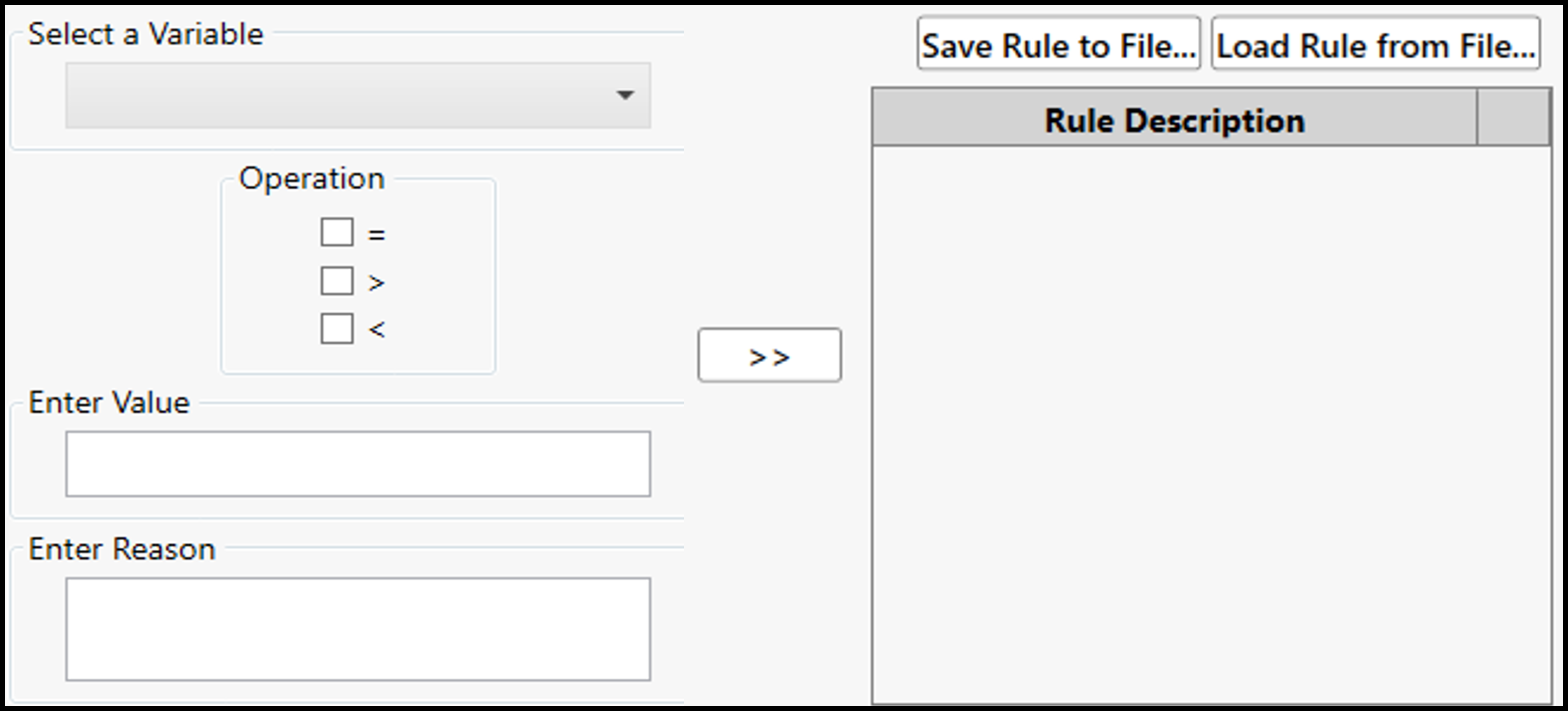
Use the Save Rule to File and Load Rule from File buttons to save the exclusion rules to a file and load them later.