The following settings affect the Analysis Profiles page in the Analysis Preparation Wizard (“Review analysis profiles”).
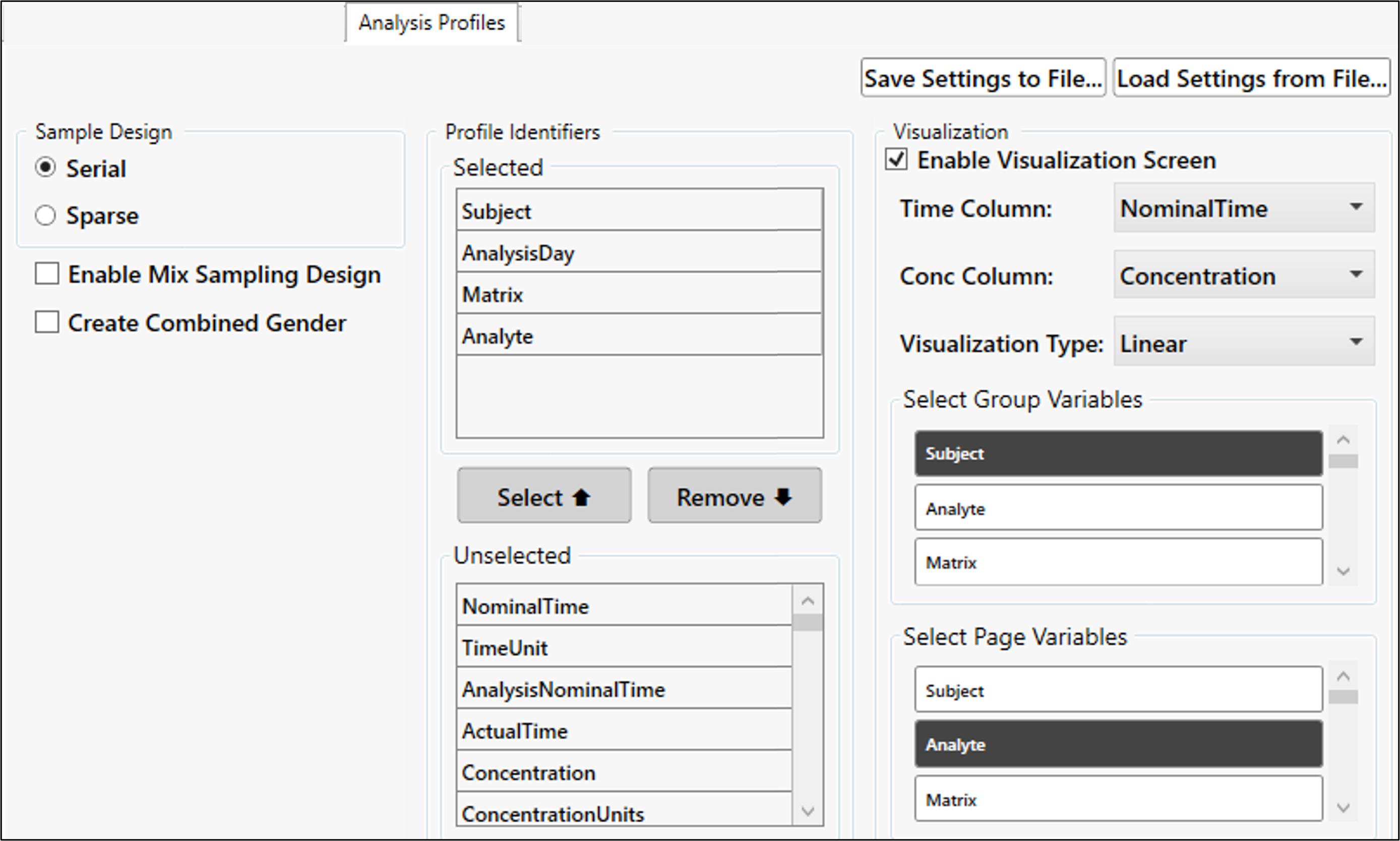
Select whether all data should have a sample design set to Serial or Sparse as a default.
Check the Enable Mix Sampling Design box to display the Sampling Design button in the Analysis Profiles page.
With complex (mixed) sampling, some data can be set as serial and other data as sparse.
Check the Create Combined Gender box to generate sex-combined data rows by default, if both male and female data are available.
In the Profile Identifiers Selected list, include the default variables to use as NCA sort keys, which creates the profiles for the NCA for every analysis.
Check the Enable Visualization Screen box to display the Visualization button in the Analysis Profile page.
The Visualization tool can help with determining the profile identifiers to choose.
Control the default selections for the visualization tool – Time Column, Conc Column, Visualization Type.
Control the variables selected by default for grouping data and defining paging of graphs in the visualization tool.