All validation checks are listed in the Data Validation page, along with a severity to assign if the check fails.
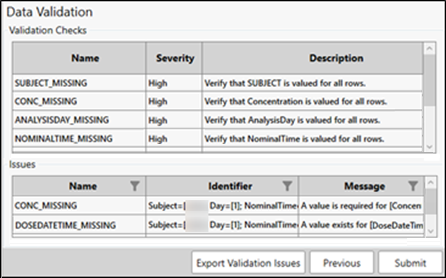
Any issues identified during the validation checks are listed in the lower table. Using the Identifier column, filtering can be done on the SubjectID, Analyte, Treatment, Day, or NominalTime. In addition, the validation information can be exported to an Excel file using the Export Validation Issues button (see “Export validation issues” for more details).
When finished with setting the validation checks, press the Submit button to generate the output from the Data Preparation Wizard.
When the Export Validation Issues button is pressed in the Data Validation page, Excel is opened and two tabs of data are loaded: Checks and Issues.
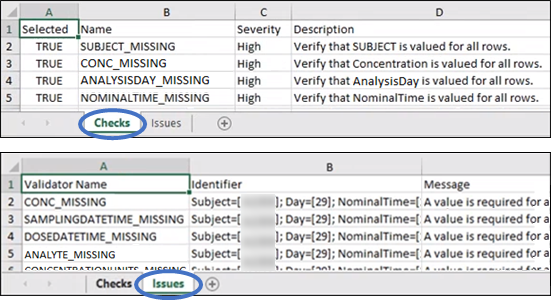
The Checks tab duplicates the information in the Validation Checks table in the Data Validation tab. The Issues tab duplicates the information displayed in the Issues table in the Data Validation table after the checks were executed.