To create a copy of a script and add it to one of the other two script locations:
In the Scripts tab, select the script to copy.
Right-click the selected script and choose Copy script to from the menu.
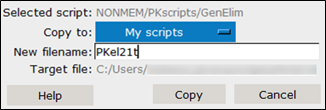
In the dialog, select the location for the copied script from the Copy to pull-down.
In the New filename field, enter a name for the copied script.
Press Copy.