Example 1: Duplicate predose from next day to Ctau for previous day
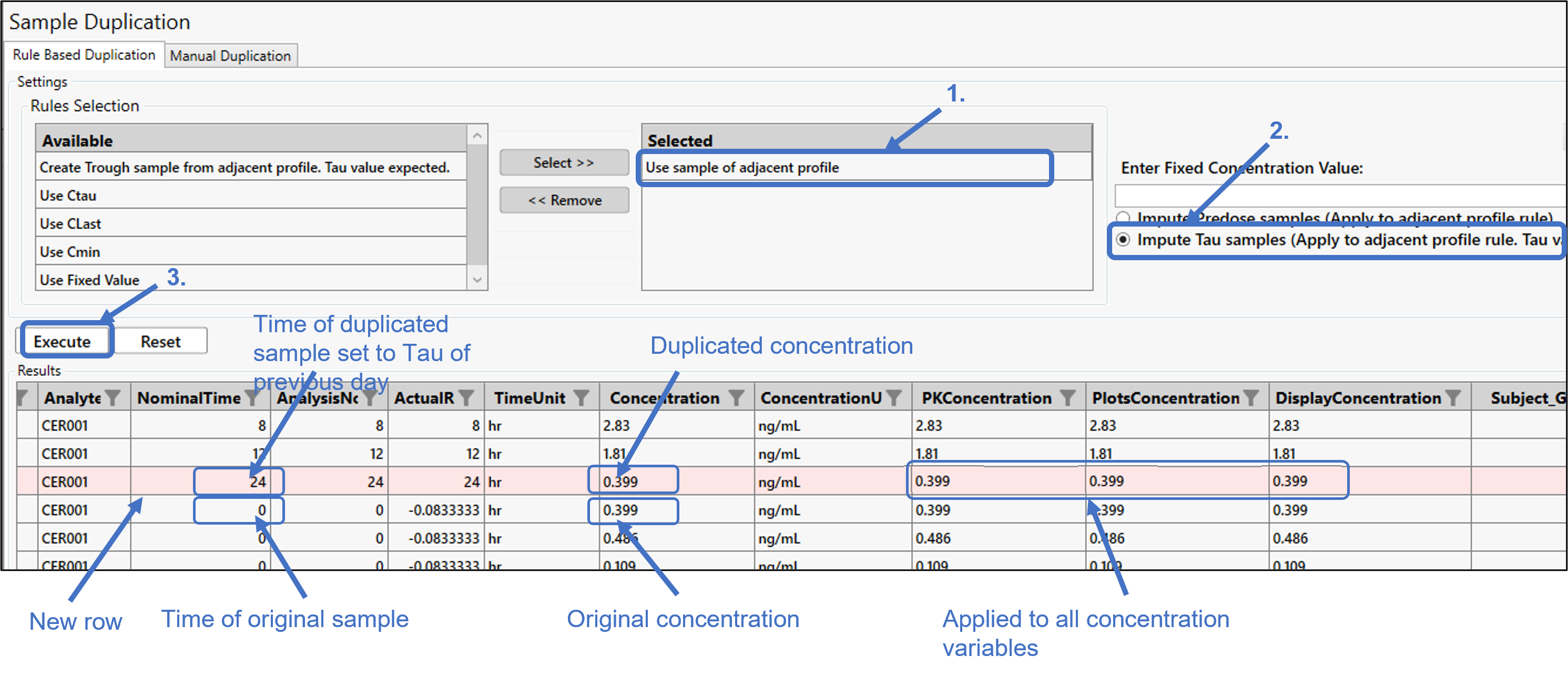
In this particular example, Ctau sample data is missing for AnalysisDay 1, but there is predose data for AnalysisDay 2 that we want to use as the Ctau for AnalysisDay 1.
Move the Use sample of adjacent profile rule to the Selected list.
Choose the Impute Tau samples... option.
Press Execute.
As noted in the image, a new row is added at the end of Analysis Day 1 rows with the NominalTime set to 24 (Tau value entered on the Dosing page). The predose sample from AnalysisDay 2 was taken at 0 hours. The concentration from this predose sample is copied to the new row in the Concentration column and applied to all concentration variables.
Example 2: Duplicate last time sample from previous day to predose for next day
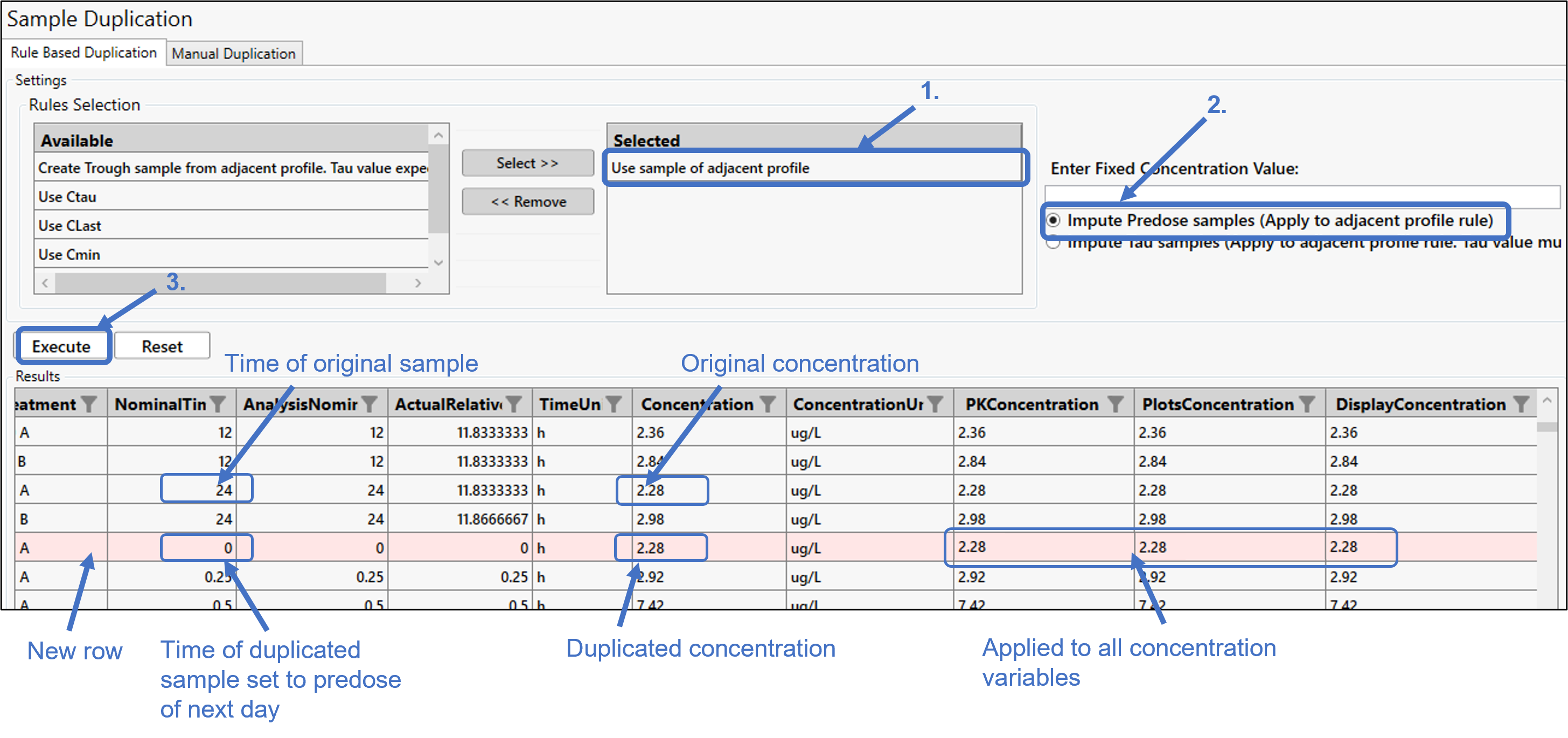
In this example, the predose is missing for Treatment A on this day. The last time sample from the previous day will be duplicated to become the predose for the next day.
Move the Use sample of adjacent profile rule to the Selected list.
Choose the Impute Predose samples... option.
Press Execute.
As noted in the image, a new row is added for Treatment A on the next day and the NominalTime set to 0, since this is a predose. The last sample for Treatment A from the previous day was taken at 24 hours. The concentration from this last sample is copied to the new row in the Concentration column and applied to all concentration variables.
Example 3: Duplicate Ctau from previous day to Ctrough for next day
This type of sample duplication requires Tau values to be entered in the Dosing page.
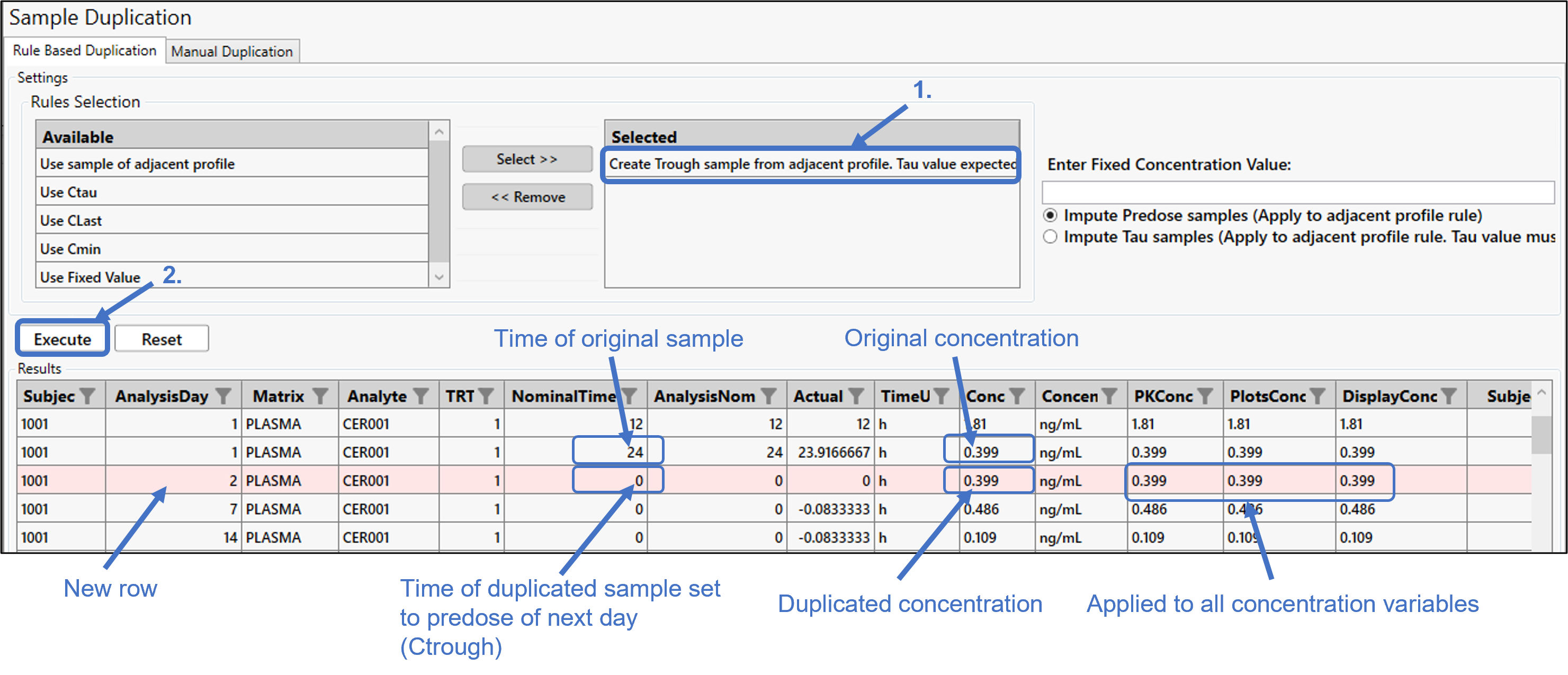
In this particular example, no sample data is available for AnalysisDay 2. Ctau will be copied from AnalysisDay 1 and used as the one sample (i.e., Ctrough) for AnalysisDay 2.
Move the Create Trough sample from adjacent profile... rule to the Selected list.
Press Execute.
As noted in the image, a new row is added with AnalysisDay set to 2 and the NominalTime set to 0, since this is a predose. The last sample from AnalysisDay 1 was taken at 24 hours. The concentration from this last sample is copied to the new row in the Concentration column and applied to all concentration variables.