These settings affect the Analysis Preparation page in the Analysis Preparation Wizard (“Options for NCA analysis”).
Choose the Default NCA Method.
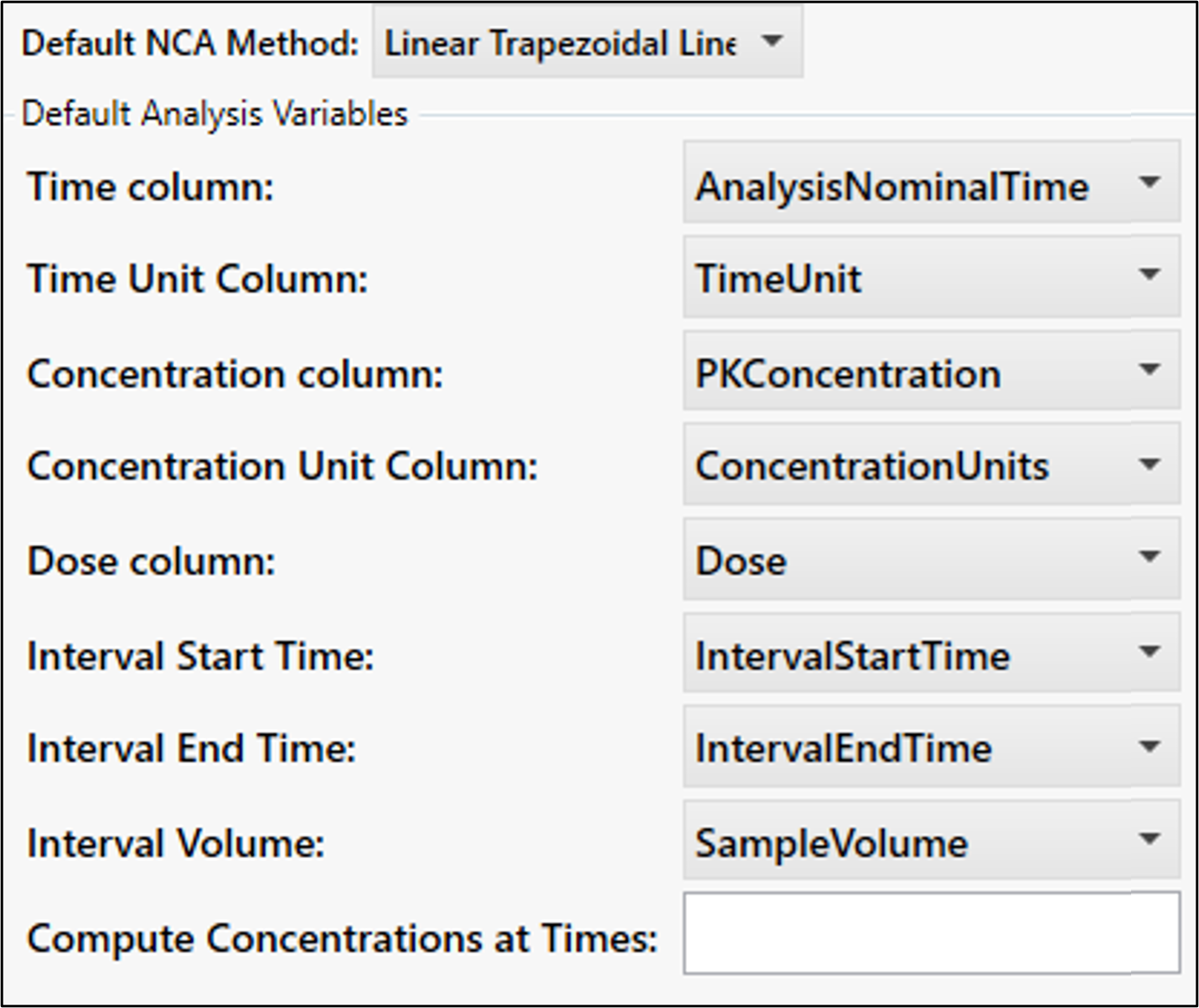
Set the default values for the analysis variables.
Specify default times at which to Compute Concentrations.
Set up model types that are automatically determined based on the matrix value at the time of analysis.
Click + and enter the matrix value, then select the default model type.
To modify a type, click in the cell and make the edit/select a different model type. To delete the type, click the corresponding X.
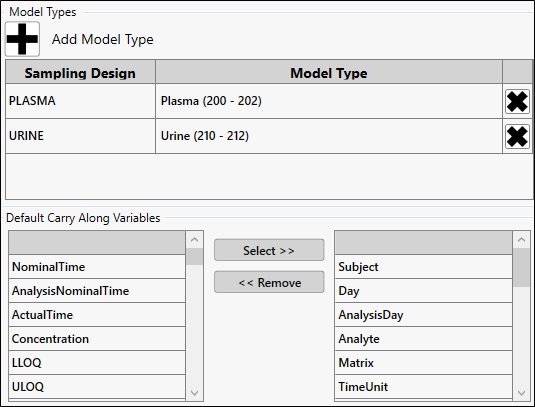
Choose the carry along variables selected by default by adding them to the list on the right.
Check the Enable Complex Unit Conversion box to display the Unit Converter button in the Analysis Preparation page for converting multiple units by analyte and matrix.
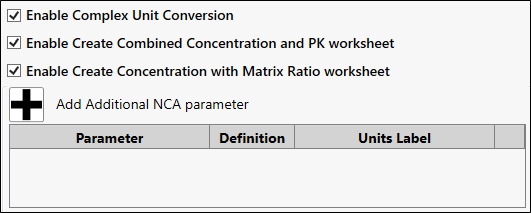
Check the Enable Create Combined Concentration and PK worksheet box to generate a ReportConcAndPKParameter worksheet for creating a table in TFL Studio that contains both concentration and PK data.
For sparse data, this option generates a worksheet called ReportPKParameters in which the SE parameters generated from the NCA are converted into an SE column. TFL Studio can use the SE column a source for error bars when creating a mean plot.
Check the Enable Create Concentration with Matrix Ratio worksheet box to generate a ReportConcWithMatrixRatio worksheet that can be used in TFL Studio to create a table of tissue (matrix) ratio data for concentrations.
These worksheets are generated upon finalizing PK parameters and placed in the Data/Report Worksheets folder.
Define additional NCA parameters to include in the available parameters list.
See “User Defined Parameters tab” in the NCA documentation for more details.