If a proxy needs to be utilized, the server details can be entered in the Preferences dialog.
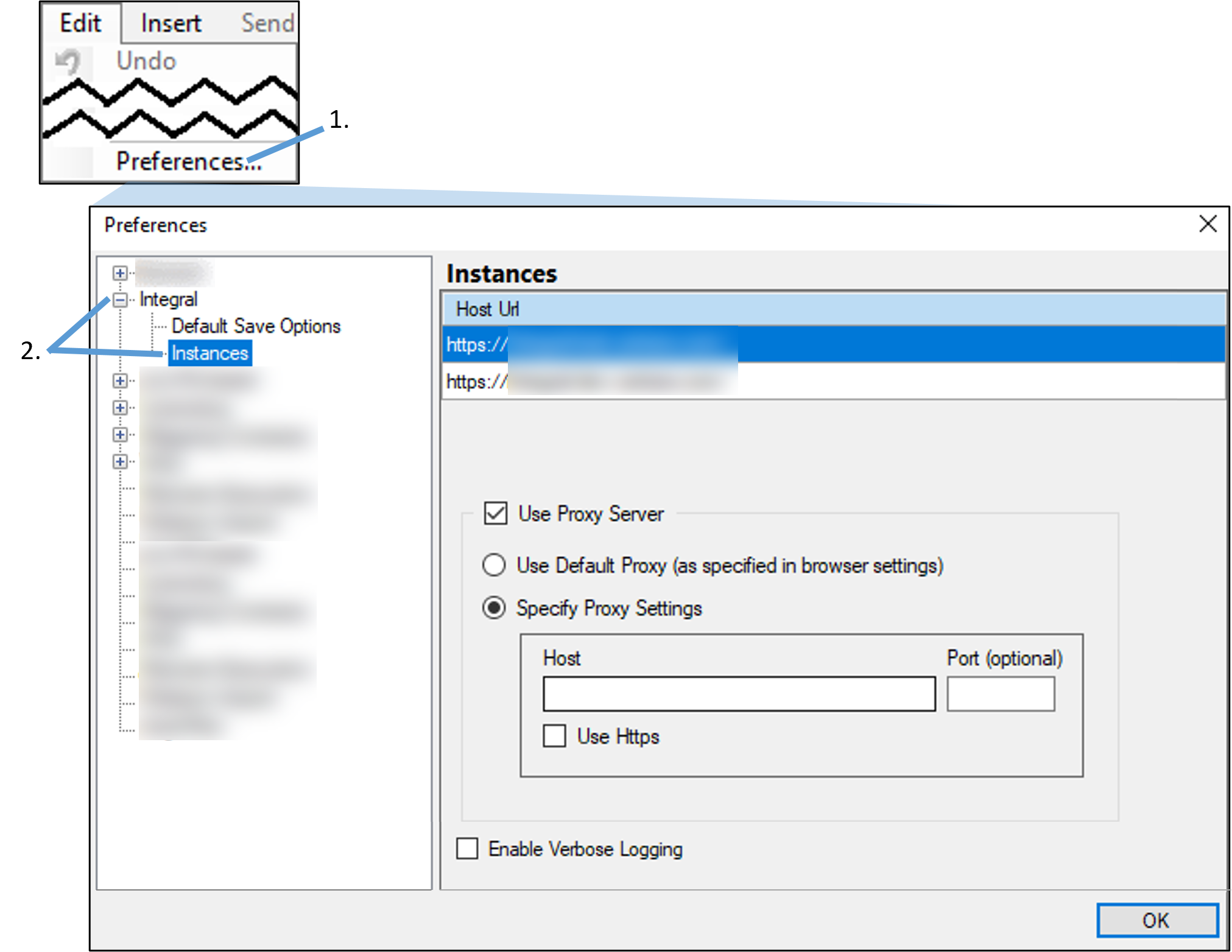
Select Edit > Preferences.
In the Preferences dialog, click the (+) sign beside Integral and select Instances.
Check the Use Proxy Server box and then choose whether to Use Default Proxy or Specify Proxy Settings by entering the Host and Port information to access a different proxy. (Check the Use Https box if this is an HTTPS proxy server.)
Click OK to save the settings.