The Grid Search allows you to search for files or folders meeting certain metadata criteria using a grid system with filters.
On the Integral main window, click  in the main toolbar.
Select the Grid tab.
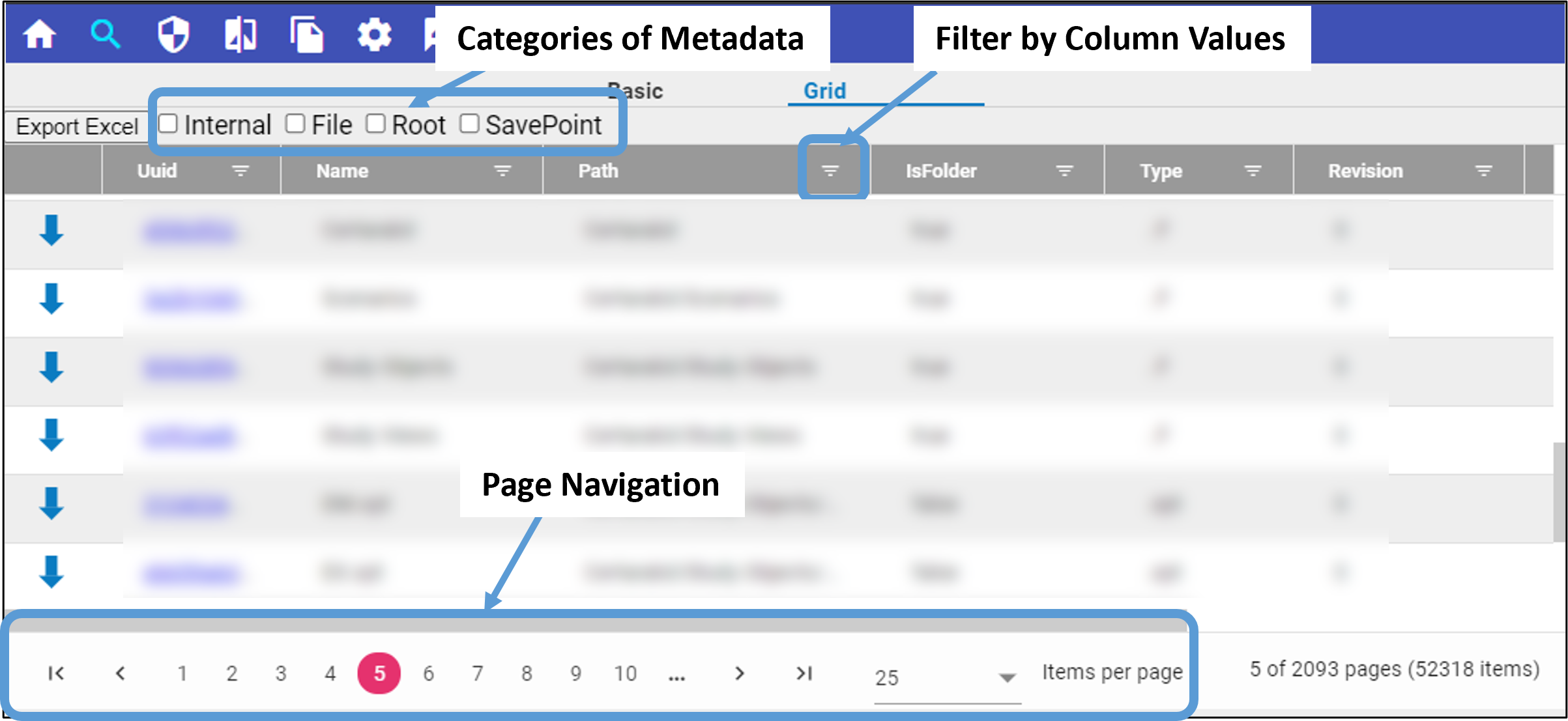
Load metadata on which to filter.
A subset of column data is visible by default. However, additional columns of metadata can be added by checking one or more boxes above the grid. When checked, any metadata associated with that category is added to the grid.
Select  in the column header to define criteria on which to filter the column.
See “View and edit contents of a file” for details on sorting and filtering.
Once you locate the desired file or folder, you can download the contents by clicking  at the beginning of the row.
When you have the desired list of files/folders, press the Export Excel button above the grid to download the information as an Excel spreadsheet file.
Below the grid are the tools for navigating the pages of data and the control for the number of items listed per page.