Connect Integral with Local Directory
If the URL for Certara Integral was not specified during installation of the Client Application, you will need to do the following steps to access the application.
Double-click the Select File > Preferences from the menu.
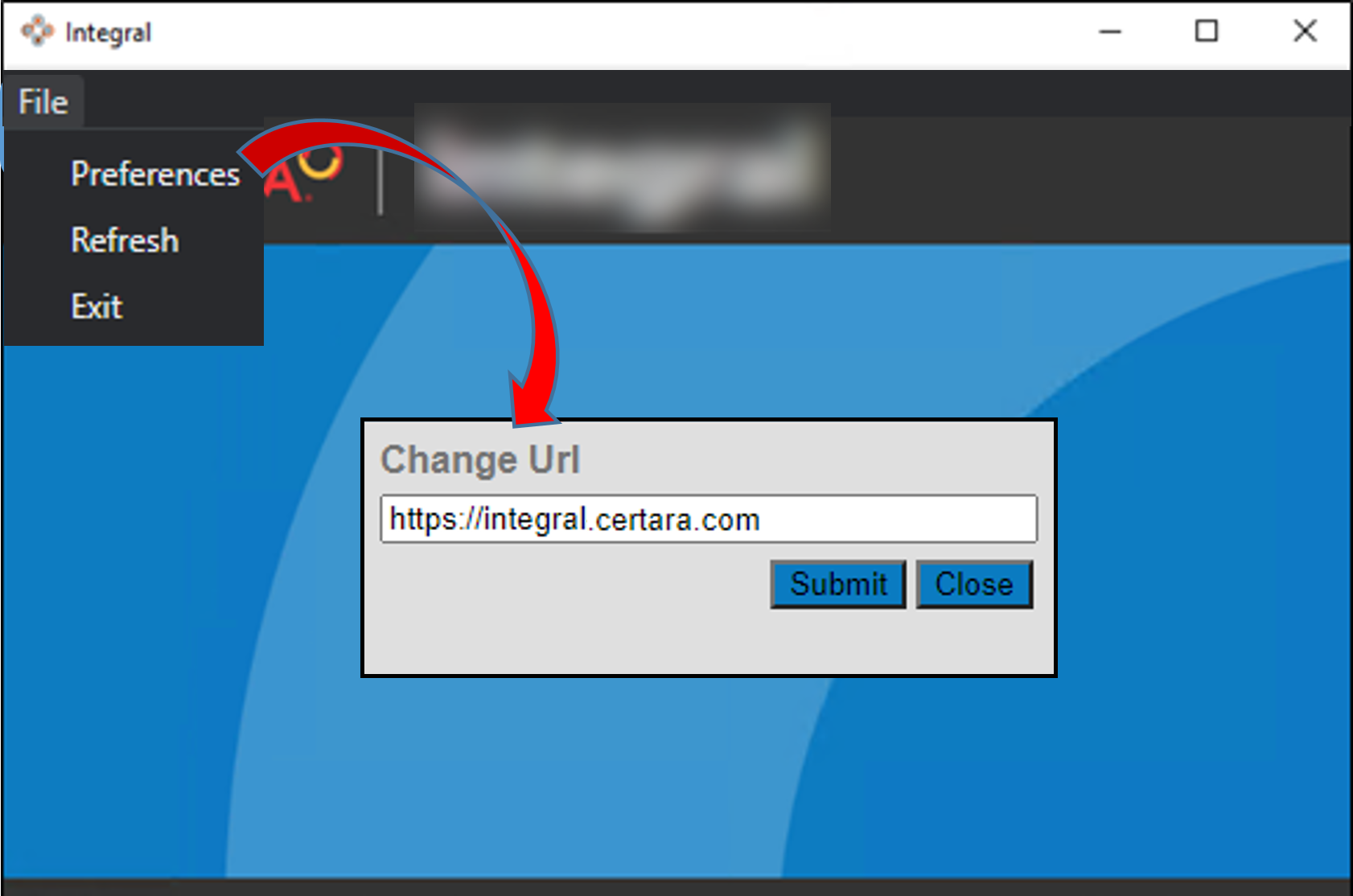
In the Change Url pop-up, enter the URL (replacing “<repository-name>” with your repository’s name). This is the same URL you use to log into the Integral Web application.:
https://<repository-name>.integral.certara.com/
and press Submit.
In the browser window, log into Certara Admin.
You can now use the Client App to synchronize your local data with Integral.