Drag file(s) from the Explorer window to the Contents tab.
Or
-
With the desired folder selected, click
 in the right panel toolbar.
 -
In the Explorer window, select the file(s) to be uploaded.
Or
-
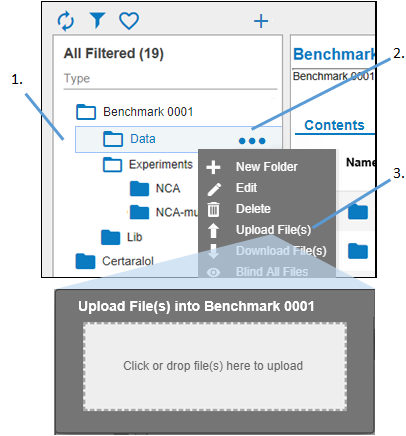
Select the folder in which to add the file(s).
-
Click
 .
. -
Select Upload file(s) from the pop-up menu.
-
In the Upload File(s) dialog drag and drop the files into the central area or click the central area to display the Open dialog to browse and select the files.
Because you are making a change to the contents, an electronic signature is required.
