-
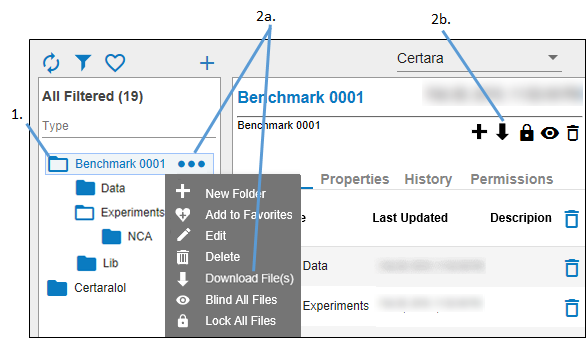
Select the folder from which to download data.
-
Click
 and select Download file(s) from the pop-up menu.
Or
In the panel, check the boxes of the items to download and click in the panel toolbar.
 -
In the browser pop-up, specify what to do with the zip file of data.
Note:It can take time to create the zip file, when the file is ready, you will see a pop-up at the bottom of the web browser window.
