Select UPLOAD at the top of the window.
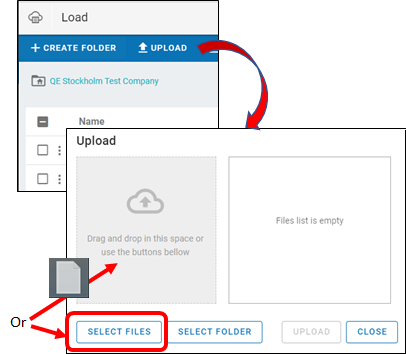
Drag and drop the file(s) from a local directory into the dialog.
Or press the SELECT FILES button and use the file browser to select the files.
To change the files being uploaded, drag and drop the new files into the dialog and the previously selected files will be replaced in the list.
Once the desired files are listed, press the UPLOAD button to begin the process and, after uploading is complete, press the CLOSE button to close the dialog.
Note: If the names of the selected files contain uppercase letters, they will be changed to lowercase once uploaded.